
Portrait
He turns from the window to the camera and smiles.
Animate any face from a photo: upload a clear, front-facing picture, pick an expression and get a short video of the face coming alive. It runs in your browser on a phone or a computer, with no app to install.
1Add your photo
JPG, PNG or WebP, up to 10MB.
2Describe the motion
Or pick a motion
3Quality & length
Length
2s
Resolution
480P · 2s · 8 credits
Choose a sharp, well-lit photo where the face looks toward the camera and nothing covers it. JPG, PNG or WebP up to 10MB.
Tap an expression such as Smile, Blink, Wink, Laugh or Look at camera, or write the movement you want in your own words. You can edit the prompt before you start.
Start the animation and download the finished MP4. Your videos are also kept in My Creations, so you can open them again on any device.
Photo face animation needs one clear, front-facing photo. Portraits, selfies, scanned old family photos and drawn characters all work when the face is easy to see.
Only upload photos you have the right to use, and ask before you animate a photo of someone else.
No video, 3D model or second picture needed: this AI face animator starts from one photo, so the face, the clothes and the background match your picture.
He turns from the window to the camera and smiles.

A faded print comes alive with a warm smile.

The boy turns toward the viewer and smiles, and the drawing keeps its style.
Face animation turns a still picture of a face into a moving one: the same face smiles, blinks or turns its head while everything else stays as it was. Your photo becomes the first frame of the video. An AI video model then generates the frames that follow, guided by a short prompt that describes the movement, such as a slow smile or a glance toward the camera.
The result is an MP4 file. A short clip fits one expression; a longer one lets the face settle and keep moving naturally afterwards.
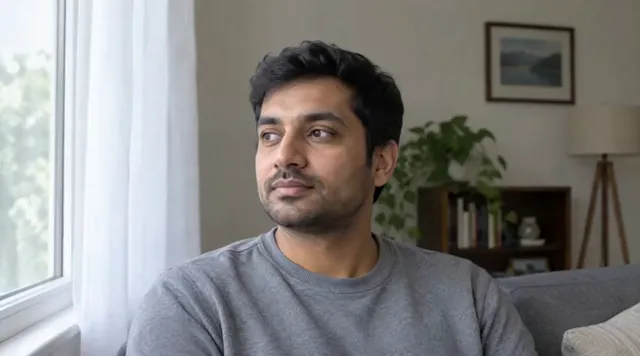
Your photo
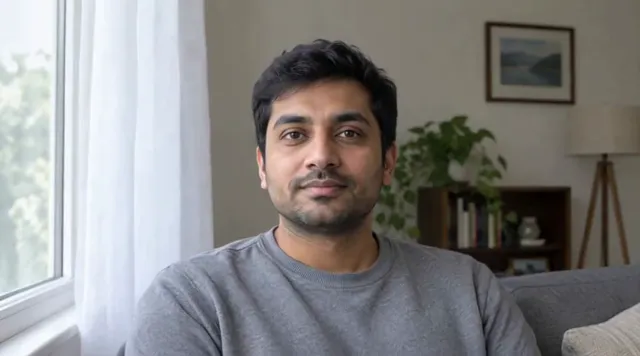
1.5 s

3 s
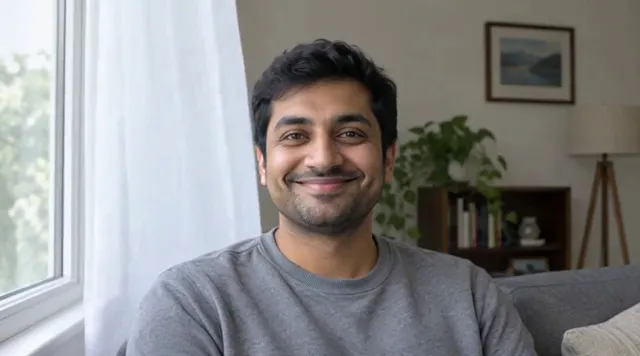
4.5 s
Longer clips and higher resolutions cost more credits; the panel shows the exact number before you start.
Most face animation apps have to be installed from an app store before you can try them. This one is a web app: open the page and upload a photo.
| Topic | This web app | A mobile app |
|---|---|---|
| Install | Nothing to install | Download it from an app store first |
| On a phone | In the phone's browser | In the app |
| On a computer | In any browser | Only if the app has a desktop version |
| Your videos | In My Creations on every device you sign in on | Depends on the app |
Upload a clear, front-facing photo of a face, pick an expression such as a smile or a blink (or describe the movement in your own words), and start the animation. When the video is ready, download it as an MP4.
None. Face animation here runs in a web browser such as Chrome, Safari, Edge or Firefox, on a phone or a computer. You only need an account to start a generation.
The result is a video, not a 3D model: you cannot rotate it or export it to 3D software. The face does move with depth, though, such as a head turning toward the camera.
Most videos are ready in about two minutes. You can stay on the page while it works, and the finished video is also saved in My Creations.
Yes. Open this page in your phone's browser, choose a photo from your photo library and start the animation. There is no app to install, and you can download the finished video on your phone.
No credit card required